Maxware79
-
Posts
267 -
Joined
-
Last visited
Content Type
Profiles
Forums
Events
Everything posted by Maxware79
-
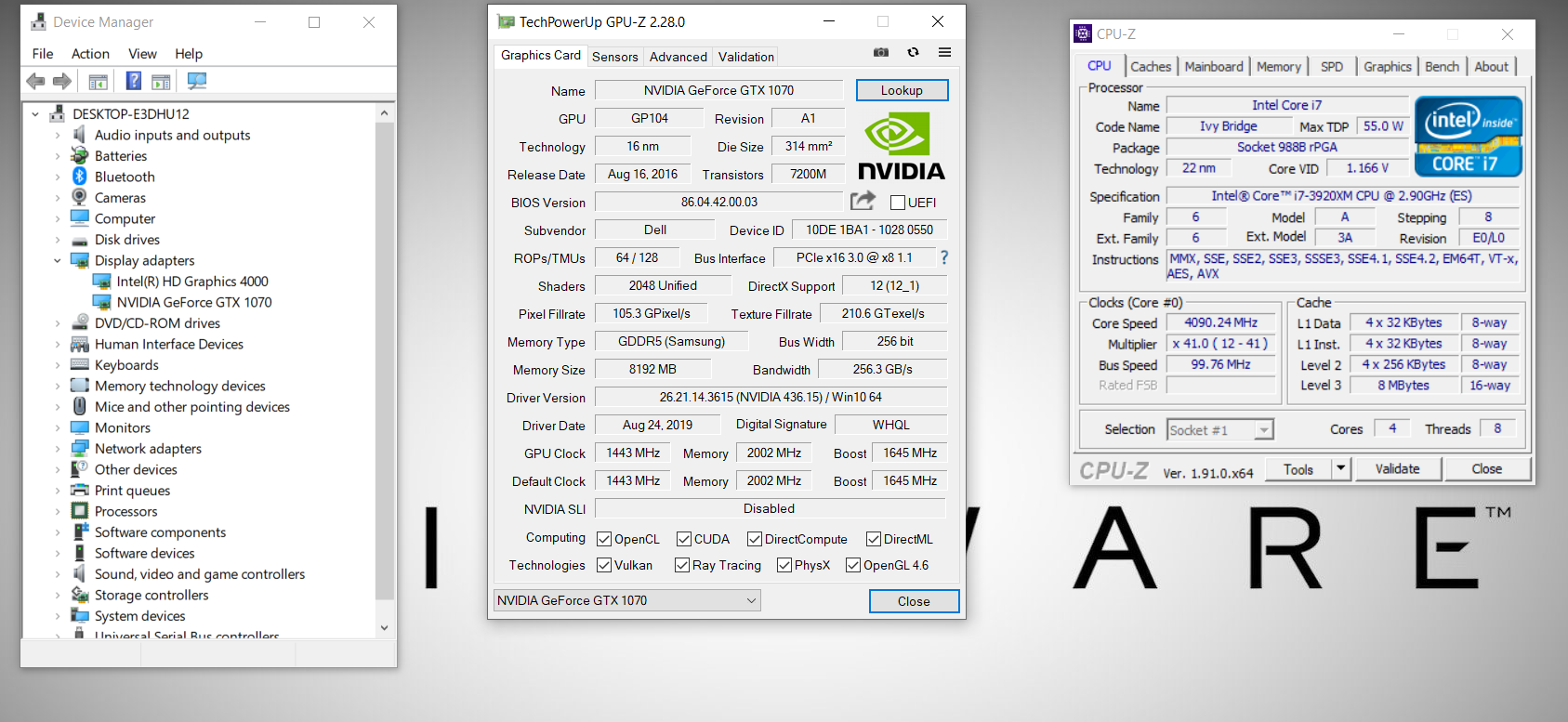
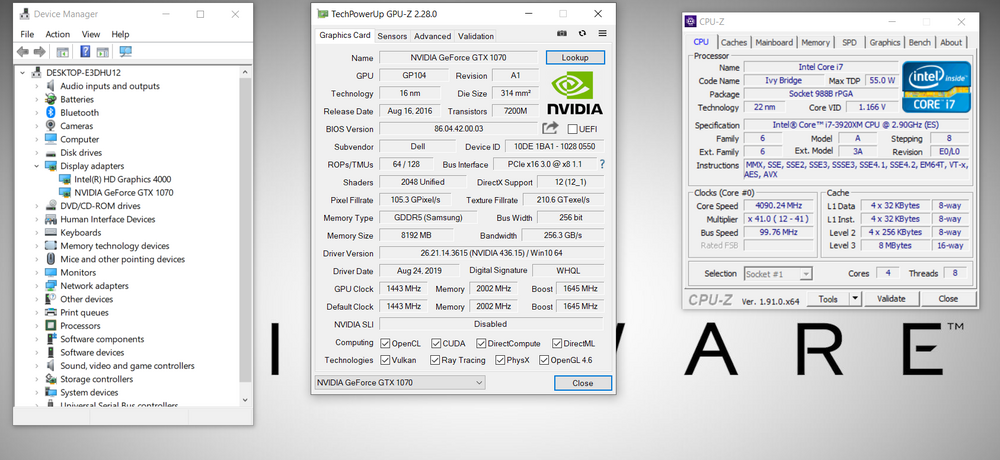
Those screenshots were pre-Win11 and I sold the 1070 a few years ago. Interesting that you're getting the correct speeds before the driver installation. That definitely points to it being a driver thing or possibly the Windows 11 incompatibility. Win11 really isn't optimised for these older systems, even though it can run on them. That could be your issue but I've never tried 11 on my older systems.
-
I had saved an old screenshot on my work PC so that was helpful. This is what I was getting
-
No other settings that I know about. If it's the standard format 1070 then you may want to look at flashing a Dell/Alienware vBIOS but that is completely up to you. I'll see if I can find the version I was using but it's probably burried in the NBR archives. EDIT; You're actually on the same vBIOS that I was on so that can't be it.
-
Make sure that your chipset drivers are installed/up to date.
-
That's surprising, I really thought that would be the issue. I doubt it's a driver thing but you never know, maybe try a few older versions. Did you get the MSI 1070? Looks like the vBIOS is an MSI one
-
Sounds like you could be experiencing the standard power throttling issue that most (if not all) of us had. I'm not sure of the cause but it's easy to correct, although you pretty much have to do this fix every time you want to use the card to it's full potential. Restart the system and go into the BIOS. Switch the video mode to iGX and reboot. Go straight back into the BIOS and switch back to SG mode. When you reboot again your 1070 should be at full power. I'm guessing that it's a problem due to the LVDS display and having to piggyback off the Intel graphics. I don't believe this was an issue in the Alienware 17 with the 120hz eDP display. I believe you could also get it to work properly by putting the laptop to sleep and then waking it up. Never tried it this way though
-
Yeah that doesn't sound promising for the card unfortunately.
-
Are you running an HP vBIOS? Could be worth looking at switching over to a Dell one. You never know, could help. Or can't you flash vBIOS on these RTX cards?
-
Have you tried other driver versions? Maybe got back a few and see what happens. Apparently some Windows updates can cause this error as well but they should have been patched by now. Last resort (before assuming the card is bad) is to do a fresh Windows install.
-
I've never tried the V3 so I couldn't say. I believe that @ssj92 has tried it though so maybe he can shine some light on it.
-

Correct after-market heatsink for P5000 (and RTX 3000/5000)
Maxware79 replied to Naberius's topic in Alienware 17 and M17x
The Ranger heatsink is slightly different than the M17x R4. One is slightly longer than the other but I can't remember which way it goes. I have tried it and I know that one fits in both but the other doesn't. My gut says that the Ranger one is the one that fits in both because I remember someone posting on NBR that they used Cicichen's Ranger heatsink in their R4. I have both at home so I can check but I won't be home until Friday morning. I also once posted images of both heatsinks side by side, either on this forum or on NBR. -
The P5000 is similar to the 1070 but with more vRAM so there is no reason why it wouldn't work just like the P4000 or GeForce cards. @Xeper8x8 recently bought one of the copper heatsinks and didn't go through with the upgrade so he may be wanting to sell it.
-
I believe the boards have the identical layout. You may have an issue with the keyboard though. While they are also identical, it's compatible one way not just quite 100% the other way. Can't remember which way it was though.
-
Alienware 17 r4 with motherboard from r5?
Maxware79 replied to cisik88's topic in Alienware 13 / 15 / 17 / 51m (2015-2020)
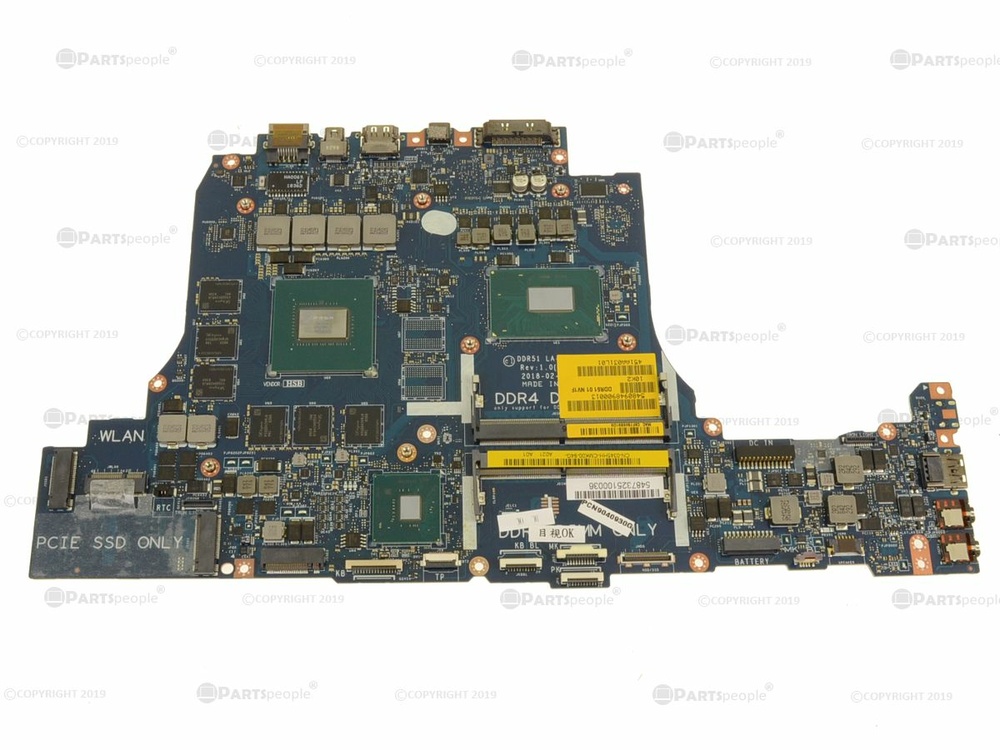
They do look remarkably similar but there are a few very small differences with some connectors and the PCB that may make it hard or impossible. Check out along the bottom edge.
-
You don't need a custom BIOS but you will need to use a modified display driver to get the 770M to work properly. @ssj92 has made a video on how to use NVCleanInstall to do this
-
As far as I know, you should be able to use the same Crossfire cable from your 6990's, I have way more experience with Nvidia cards though. There shouldn't be any reason to change your heatsinks either. I am just pulling apart an AW 18 with dual R9 M290X's. The M290x is exactly the same as the 8970M but it depends what driver version an vBIOS it has.
-
I have plenty of M18x parts if you need, including batteries in decent condition (~75-80% health). Most countries won't allow Li-Ion batteries to be imported via the mail though, unless they are inside of a laptop. I'm in Australia. I would suggest the 780M over the 880M, mainly due to the 880M's having a higher failure rate and running hotter. The AMD R9 M290x (8970M) is also a good option and doesn't require modified display drivers. You'd need the AMD Crossfire cable as well though. You will definitely need to learn how to modify your drivers for the Nvidia cards. It isn't that hard once you learn. I believe you will need the unlocked BIOS for the 780M/880M though. Some people also report that they lose the integrated HD audio as this usually needs to be disabled to get the 780M or 880M to work. Sometimes you can re-enable it after the upgrade and it works fine but sometimes it never comes back.
-
Notebook Review forum archive – NBRCHIVE
Maxware79 replied to Aaron44126's topic in General Discussion
Loaded instantly for me just now. Not sure what the issue was earlier, seems all good now thanks. -
Notebook Review forum archive – NBRCHIVE
Maxware79 replied to Aaron44126's topic in General Discussion
@Reciever I'm getting a host time out error trying to open the Archive. Is this just me or have we lost connection to it? -
It's the MSI 1070 that will cause some physical modding to take place. This is the strongest of the 1070's. The standard format 1070 is the one most people go for as it's far easier to install but the quality of the card isn't as good as the MSI. The Quadros are probably a better option as they are usually pretty tough and tend to be cheaper.
-
You need to run the Nvidia driver program and let it fail, then copy and paste the Nvidia folder in the C drive. It will auto name itself NVIDIA - Copy. Close down the failed installer and then the original NVIDIA folder will disappear. Now you can freely modify the NVIDIA - Copy folder
-
Not sure if this will work but when you go to the UEFI settings in the BIOS, set Load Legacy Option ROM and Secure Boot to disabled. This ensures that it's in a 'pure' UEFI state.
-
I can't quite remember what I had to do but I think you will have to have the BIOS set to SG mode with the unlocked BIOS. I'd have to go into my system to check all the settings to be sure but I'm at work right now. @ssj92 will be able to correct me if I'm wrong. Also, make sure that it's selected as top priority in the Boot menu.
-
Well that's good news, glad you got it figured out. Like I said before, I hadn't seen these with a 210W adapter so I thought it could be that. I wasn't 100% sure that 30W would make that big of a difference but apparently it does.
-
Could it just reporting incorrectly while performing properly?