

Maxware79
-
Posts
267 -
Joined
-
Last visited
Content Type
Profiles
Forums
Events
Everything posted by Maxware79
-
Looks like a good plan. If the card isn't getting power then I would assume that the BIOS won't detect the card. Will be interesting to see though.
-
I've thought about doing this a few times over the years but never did anything about it. I'd imagine that you'd definitely have to find a way of disabling the MXM slot as putting another functional card in there could cause some issues. If you don't care about the AMD card, I would cut the pin edge off so it didn't sit into the slot. This should work perfectly. If you do care about the card then find a GTX 260M and cut that up. It should be dirt cheap.
-
Fingers crossed he takes a look at it soon for you. Really hope he makes a video on it.
-
Are you asking for an unlocked BIOS? For the 17 R1 or M17x?
-
Hey. I replied to your post on the Dell site before realising you have already posted here. The BIOS you need is on this site for free thanks to ssj92 You will have to remove the 1070. Once you flash the unlocked BIOS you still need to get into the BIOS to swap the video mode to SG. You'll continue to get an 8 beep error if the 1070 is in the laptop
-
The 770M should work. I haven't looked at the R1 BIOS for a while but I'm assuming it has the same HD Audio as the M17x R3 that needs to be disabled to run the 700M and 800M cards.
-
The 900M series will not work in the R1 due to the UEFI requirement of those cards. There have been people trying to work around it for years but no confirmed success yet. The R1 BIOS is the limiting factor with anything past the 800M series
-

m17x r4 not detecting gtx 980m in unlocked bios
Maxware79 replied to ChuckWhip's topic in Alienware 17 and M17x
It's here in this forum. -
Just note that the file name, M18R2 in the guide is for the M18x R2. The 18 will need to be given a different name, which I have no idea what it is. You may need to use PhoenixTool to work that out. Can't remember how to use it though.
-
m17x r4 not detecting gtx 980m in unlocked bios
Maxware79 replied to ChuckWhip's topic in Alienware 17 and M17x
Unfortunately, an undetected card in the BIOS usually means that it's dead. You could try removing it and making sure all the pins on the card and the MXM slot are clean and try reseating it. The 900M series need UEFI mode but that shouldn't stop it being detected at all. -
Very few people would pay that kind of money for an R1 board but there will probably be someone out there who just wants to get their old system working and don't care about the cost. I sell my refurbished M18x's for around $800-1000AUD - (Currently $550-670USD) so I'd probably sell an R2 board for about $300USD, R1 for about $250. The R2 board is much more sort after due to it's upgrade possibilities so it usually fetches a higher price than the R1 board. Prices for these definitely aren't going down as stock for these boards worldwide gets lower and lower. Markets in different countries varies a lot so take these prices with a grain of salt. I could probably ask for more for my complete systems but I don't want to wait 6 months before I find the 'right buyer'.
-
I have no idea. You would think that when you powered the laptop off it would shut power to all the devices. For some reason the adapter continues to draw power from the battery. We've tried all kinds of Windows power tricks but nothing stops it.
-
Funnily enough, I bought an M14x R2 off ebay this week and it arrived yesterday. Along with a few other issues it was listed as occasionally not booting with a beep code. I assumed it was the 5 beep cmos error but it turned out to be the 1 beep BIOS corruption error and it would only boot once for about every 20 non-boots. When it did boot, I found that it was still on BIOS A01 but I couldn't flash the BIOS as there was no battery installed (Stupid Dell) so I decided to try the USB blind flash. I picked A04, extracted the right file and changed the name to M14R2.hdr (just a guess) and threw it onto a FAT32 USB. The M14x doesn't have eSata so my only choice was a USB port. Started the process and walked away, not expecting it to work. Came back 10 mins later and it was working. The 1-Beep error seems to have gone.
-
Yeah still seems like it's there but not nearly as bad. Better than 100% over 9 hours. You're probably still going to put hours onto the NVMe even when it's switched off, not sure how that will impact the drive over time though.
-
If you have no luck using the e-sata port for the flash then try the regular USB port. Someone on TechInferno tried that after having no luck with the e-sata and it worked. Just in case the guy can't fix it
-
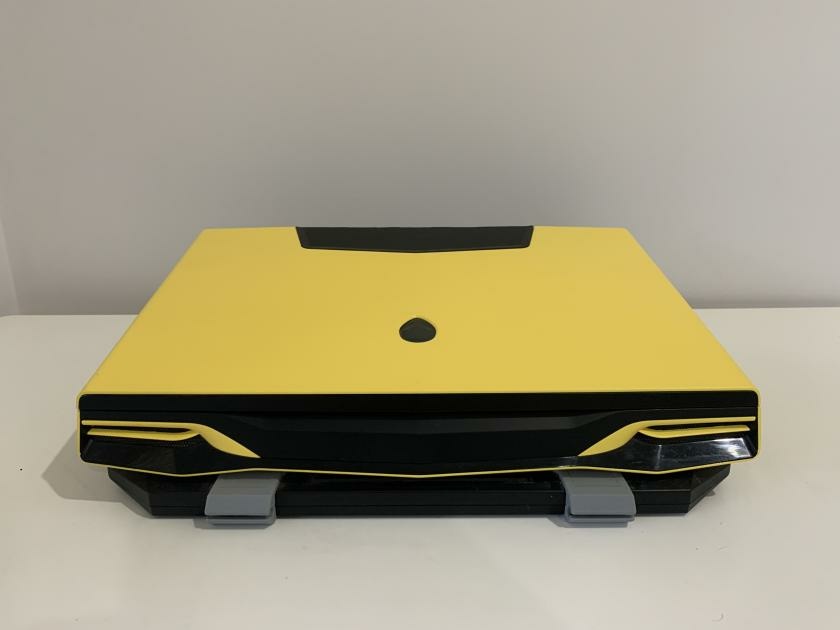
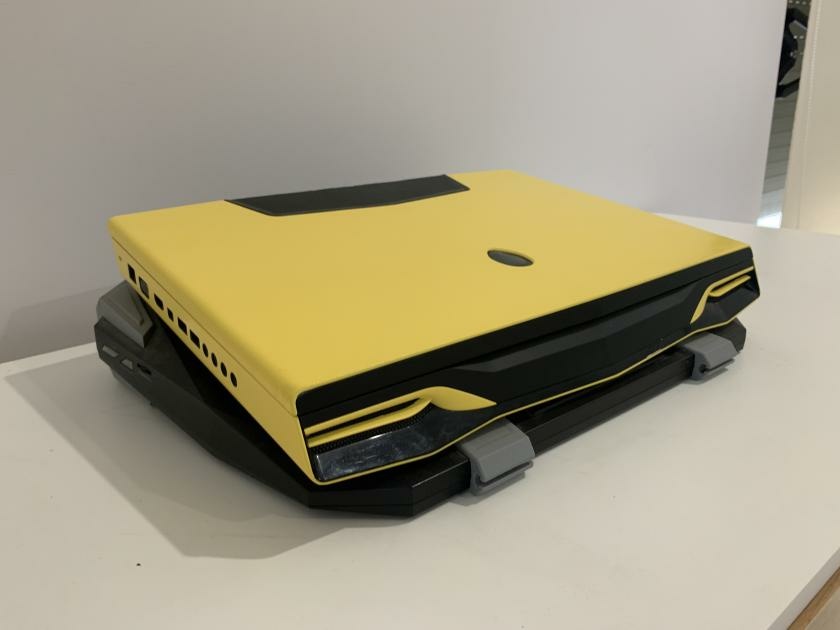
introduction Alienware M18x R1 - Gloss Yellow Respray
Maxware79 replied to Maxware79's topic in Custom Builds
Finally finished this project but I have switched it to an R2. i7-3840QM, GTX 680M, 24gb 1600Mhz DDR3, 512gb mSATA SSD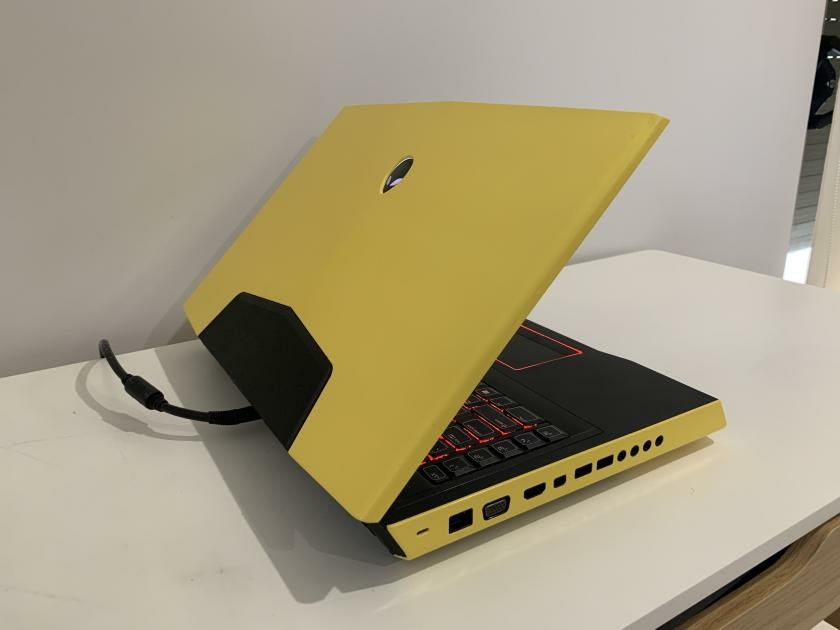
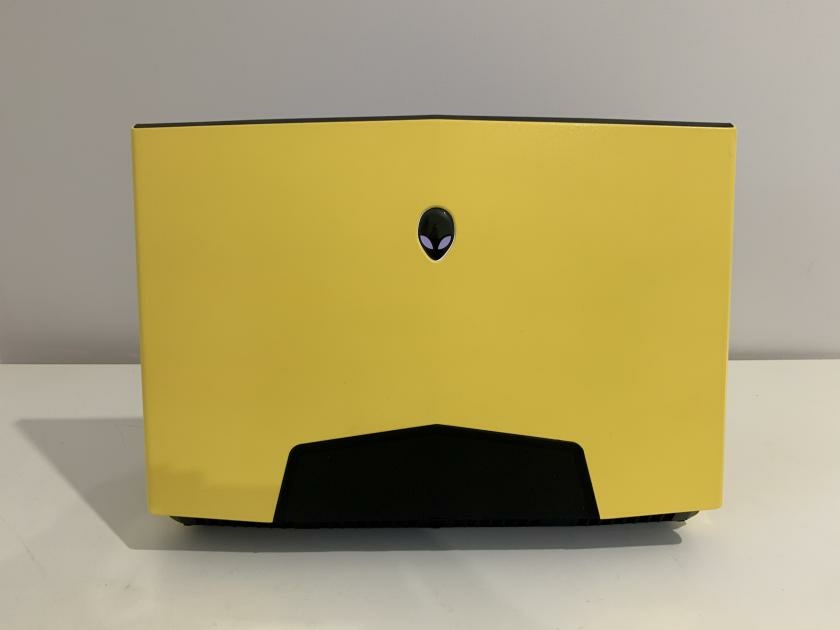
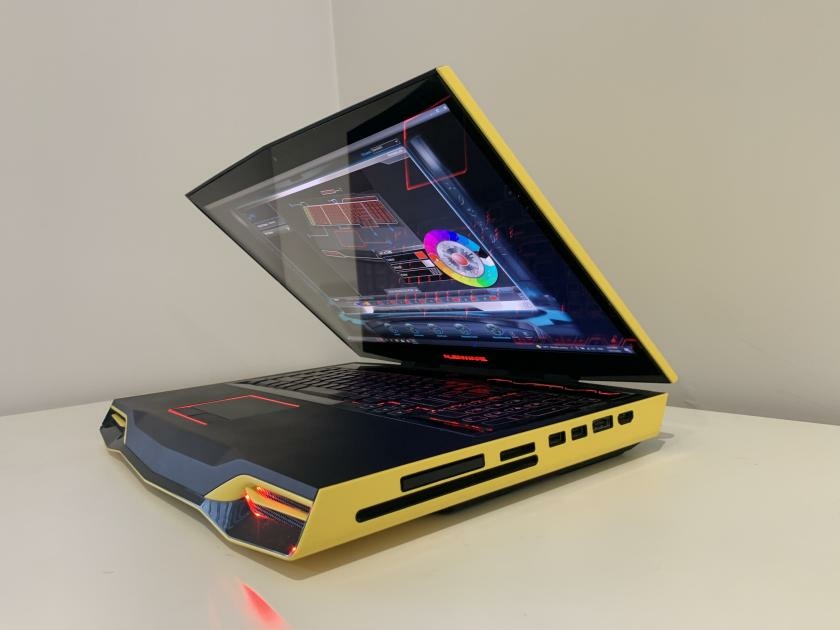
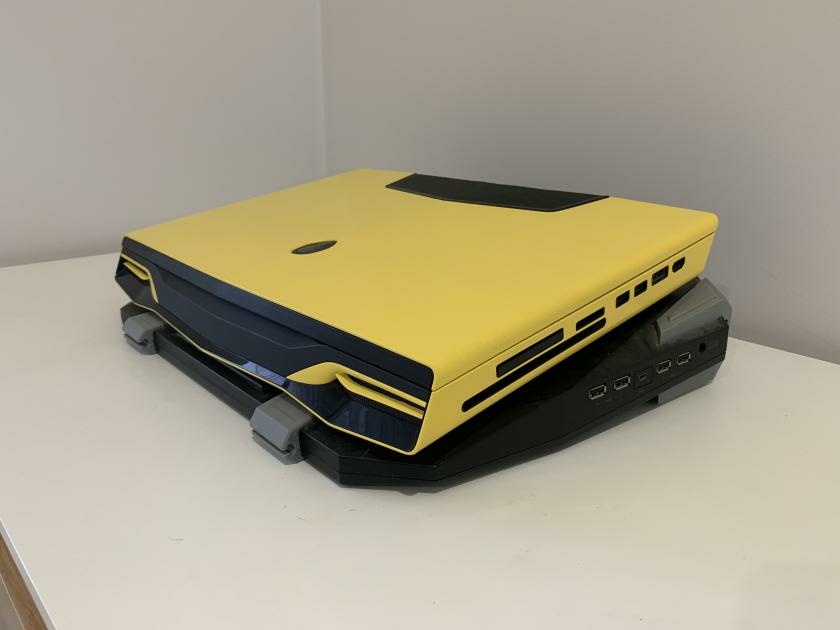
-
This guy is great. I've been watching a few of his videos over the past few months. man, I wish I had these skills.
-
If anyone is looking for a V3 adapter, someone on the Dell Community Forum has these details for a contact. Was from Aliexpress, I believe. Shenzhen Jia Neng Electronics Technology Co., Ltd.Contact Name: Andy Zhan Registered company address: CN,Guangdong,Shenzhen,301, Building 16, Gangbian Fang, Fuxing Road, Futian Street, Futian Dist.Company Tel: 0086-0755-82711961Company Email: 13713864939@139.com
-
Often it's not the best employees that get promoted. Some companies don't like moving someone that is actually good at their job because then they have to fill that position with someone with lesser ability and it costs them money. Then the good employee gets sick of being treated like this and they leave so the company loses the employee completely.
-
Yeah you need to follow the directions exactly. No need to remove the CMOS battery or RAM for the blind flash. If it doesn't work then the BIOS probably won't be the problem, quite possible that the board is proper bricked.
-
I'm not sure why only the A03 BIOS would work with the M18x R2. The same process on the M17x R4 works with any BIOS version, as far as I know. I usually do the A05 one but I've done it with other versions. All the other processes look exactly the same as the M17x R4 and it's good that the filename is M18R2, that was just a guess on my part. You really have to following the instructions perfectly or you risk a permanent brick.
-
Well one of my best mates is heading back here to visit his dad in October. I'll get him to throw it in his bag....
-
Ahh that sucks. I'd love to get my hands on it and give it a good test.
-
I have some spares but I'm in Australia so it makes things more difficult. You've definitely tried the CMOS connector pin trick? It really sounds like it could just be a BIOS issue so doing those steps right should clear it.
-
I've never messed with those settings so I'm not sure what happened to you. Usually a CMOS reset by bridging the connector pins would fix most BIOS errors. Don't do the flash method unless you really have to. I have no idea if it will work and it could do more damage.

